Affordable, Trusted Nextcloud Shared Cloud Storage Hosting
BRONZE
Cloud Storage - Shared- 1 User Account
- 100% Safe & Secure
- 25 GB SSD Cloud Storage
- 99% Uptime Service Level Agreement
- Web interface + mobile apps (Android/iOS)
- Desktop clients for Windows, macOS, Linux
- Built-in calendar, contacts, and tasks, Notes And Nextcloud Talk for chat and video calls
- No Upload And Download File Size limit
- Access Files Anytime, Anywhere
- End to End Encrypted
- Same price at renewal
- Remote Backup
- 24/7/365 Support
SILVER
Cloud Storage - Shared- 1 User Account
- 100% Safe & Secure
- 50 GB SSD Cloud Storage
- 99% Uptime Service Level Agreement
- Web interface + mobile apps (Android/iOS)
- Desktop clients for Windows, macOS, Linux
- Built-in calendar, contacts, and tasks, Notes And Nextcloud Talk for chat and video calls
- No Upload And Download File Size limit
- Access Files Anytime, Anywhere
- End to End Encrypted
- Same price at renewal
- Remote Backup
- 24/7/365 Support
GOLD
Cloud Storage - Shared+ 1 User Account
- 100% Safe & Secure
- 75 GB SSD Cloud Storage
- 99% Uptime Service Level Agreement
- Web interface + mobile apps (Android/iOS)
- Desktop clients for Windows, macOS, Linux
- Built-in calendar, contacts, and tasks, Notes And Nextcloud Talk for chat and video calls
- No Upload And Download File Size limit
- Access Files Anytime, Anywhere
- End to End Encrypted
- Same price at renewal
- Remote Backup
- 24/7/365 Support
DIAMOND
Cloud Storage - Shared- 1 User Account
- 100% Safe & Secure
- 100 GB SSD Cloud Storage
- 99% Uptime Service Level Agreement
- Web interface + mobile apps (Android/iOS)
- Desktop clients for Windows, macOS, Linux
- Built-in calendar, contacts, and tasks, Notes And Nextcloud Talk for chat and video calls
- No Upload And Download File Size limit
- Access Files Anytime, Anywhere
- End to End Encrypted
- Same price at renewal
- Remote Backup
- 24/7/365 Support
Why Choose Nextcloud Shared Cloud Storage Hosting?
Shared Nextcloud hosting provides a convenient, cost-effective way to utilize the powerful open-source Nextcloud platform without the technical complexity of managing your own physical server. In this environment, multiple users or accounts share resources on a single pre-configured server managed by a hosting provider, who handles system maintenance, security patches, and routine backups. It serves as a private, privacy-focused alternative to mainstream corporate ecosystems like Google Drive or Dropbox, allowing individuals and small teams to seamlessly sync files, collaborate on documents, and manage calendars across multiple devices through a browser or dedicated app. While shared hosting limits deep server-level customization compared to a dedicated Virtual Private Server (VPS), it offers an accessible, plug-and-play entry point for users seeking data sovereignty and robust collaboration tools on a budget
Built to Last
Higher Traffic and Data Demanding Optimizations
File Storage & Sync
Store files securely on your own server or a trusted provider. Wide range Sync across devices (desktop, mobile, web). Offline access with automatic sync when back online
File Sharing & Collaboration
Internal sharing is Share files/folders with specific users or groups on your Nextcloud server.External sharing is Generate public links for people outside your organization.Set Permissions control access rights like view only, edit, upload, or reshare and Secure shared links with passwords. It automatically disable access after a set time Expiration
Regular Updates
With regular updates, it is made sure that Nextcloud, its plugins and all software are being updated consistently. These also help in patching security vulnerabilities and offering users with the latest and advanced security, allowing you to keep your server safeguarded
Firewall Configuration
It leverages a robust firewall like configServer security and firewall in order to keep tabs on traffic along with controlling the coming and going traffic. It keeps your server safe from any of the illegal accesses
Secure Hosting Environment
By updating your servers’ operating system regularly and disabling unnecessary services and features, you can easily reduce all the risks related to possible attacks along with improving the overall security of the servers
User & Group Management
Organize users into groups (teams, departments) Fine-grained access control for shared resources Admin tools for managing quotas and permissions
Real-Time Collaboration
Multiple users can work on files simultaneously (especially with integrations like Collabora Online or ONLYOFFICE) and Live editing of documents, spreadsheets, and presentation
Productivity Tools
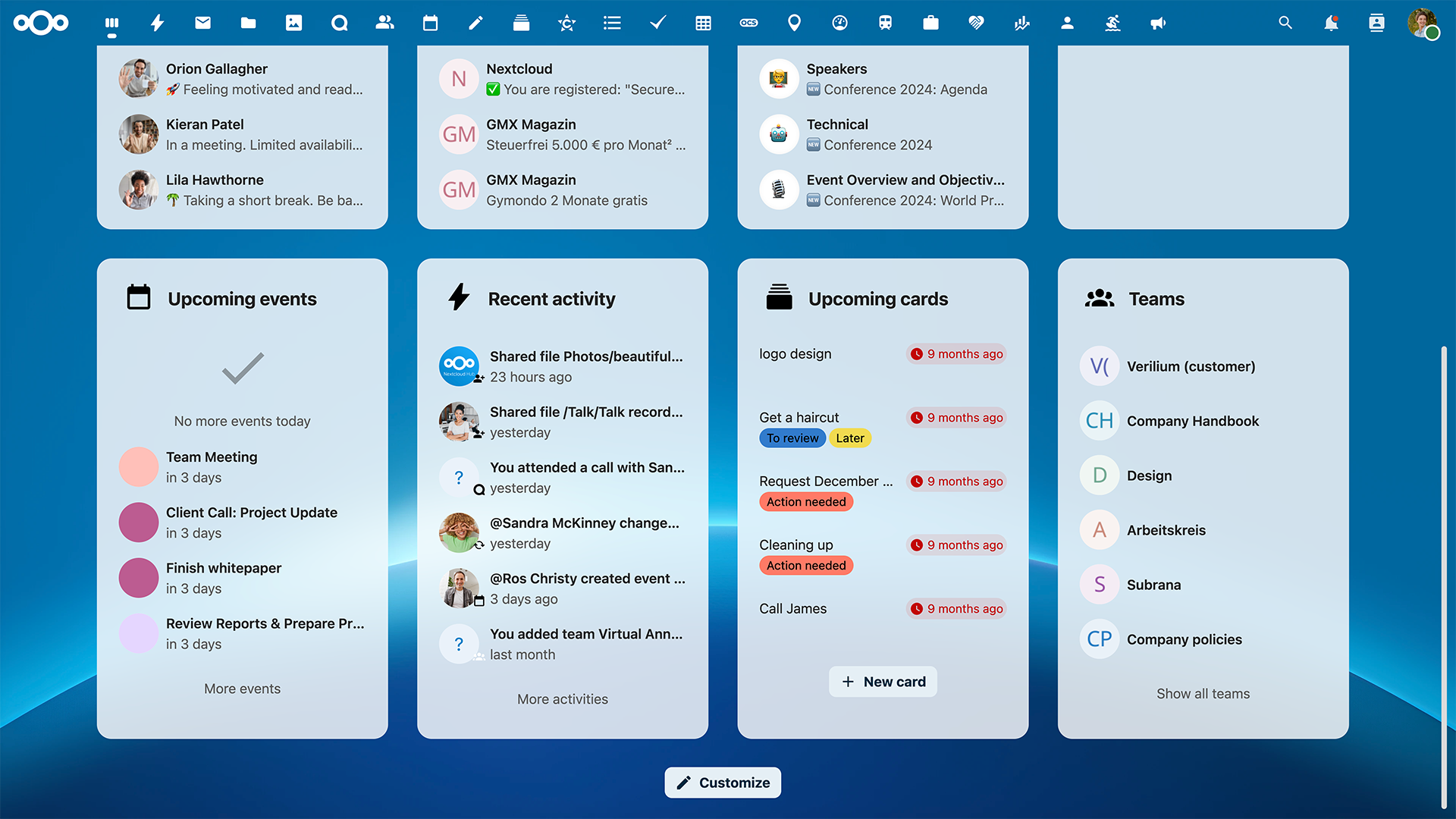
Built-in calendar, contacts, and tasks,Notes and bookmarking features Integration with apps like Nextcloud Talk for chat and video calls
Security & Privacy
End-to-end encryption for File access control and activity logging and provide Two-factor authentication support Full data ownership (unlike public cloud providers)
Admin Control
Better Stats. More Control
Deleted file recovery (trash bin)
Protection against accidental edits or ransomware
Connect external storage (FTP, SMB, Google Drive, etc.)
Track file access and changes
Web interface + mobile apps (Android/iOS)
Desktop clients for Windows, macOS, Linux
Large app ecosystem (workflow automation, media, etc.)
Integration with chat/video apps like Nextcloud Talk
Centralized storage instead of individual ownership
Shared Account Created With Us
Total Storage Capacity Used
What is shared Nextcloud hosting?
Shared Nextcloud hosting means a hosting provider runs and maintains the Nextcloud server for multiple customers on shared infrastructure. You get your own account or instance without managing the server yourself.
What features are usually included?
Typical features include:
File sync and sharing
WebDAV access
Mobile and desktop apps
Calendar & contacts
Shared folders
Link sharing
Office document editing
External storage support (depends on provider)
Some providers also include Collabora Online or ONLYOFFICE integration.
Is shared Nextcloud hosting secure?
Generally yes, if the provider is reputable. Common security features include:
HTTPS encryption
Two-factor authentication
Brute-force protection
Server-side encryption
Access controls
Is my data Private?
Yes, Each user's data is isolated from other accounts. Access to your files is protected by your username and password, and your data is never visible to other customers
Is shared hosting used for business?
Yes. Shared Nextcloud hosting is commonly used for:
Personal cloud storage
Family file sharing
Small teams
Document collaboration
Calendar and contacts sync
Can I use storage like S3, FTP, or NAS?
Usually yes, but it depends on the hosting plan and provider permissions. Nextcloud supports:
GS3-compatible storage
FTP/SFTP
SMB/NFS network shares
External drives
Can Nextcloud replace Google Drive?
Yes, for many users. It supports:
File sync
Sharing
Mobile apps
Collaboration
Calendar & contacts
Office editing
Features of Nextcloud?
Nextcloud Files: Securely store, sync, and share documents, photos, and videos across all your devices.
Nextcloud Talk: Private audio/video conferencing and text chat that runs entirely on your server.
Nextcloud Office: Real-time collaborative editing for documents, spreadsheets, and presentations, compatible with Microsoft Office formats.
Nextcloud Groupware: Integrated calendar, contacts, and email clients that sync automatically with your mobile phone.
Nextcloud Assistant: A privacy-focused AI assistant that can summarize email threads, translate messages, and help write documents without sending data to a central cloud
major tech giants storage costs by 60%.We were getting crushed by monthly fees on Google Workspace just to store product photography. Switching to Nextcloud shared hosting allowed us to pay for raw storage rather than user seats. The web interface is incredibly fast, and knowing our customer data sits on a private, compliant server is a massive win for our brand.
The perfect central hub for a chaotic remote team.We originally bought this shared hosting plan just for secure file storage, but it has completely replaced our internal wiki and project boards. The integration between Nextcloud Deck and the shared calendar keeps our remote developers perfectly aligned. It’s snappy, intuitive, and required zero training for our team.
Client proofing is finally professional, private, and fast.Sending RAW image batches used to mean juggling expired WeTransfer links. Now, I send clients a password-protected link directly to my branded Nextcloud instance. The shared hosting plan handles multi-gigabyte uploads easily without bogging down, and my clients love the clean, ad-free download pages.
none of the corporate surveillance.As a journalist, protecting my sources and notes is non-negotiable. This managed Nextcloud setup gives me the seamless mobile auto-upload features of mainstream clouds, but with end-to-end encryption I can trust. The host handles all the background server maintenance and security patches, leaving me free to work securely.